


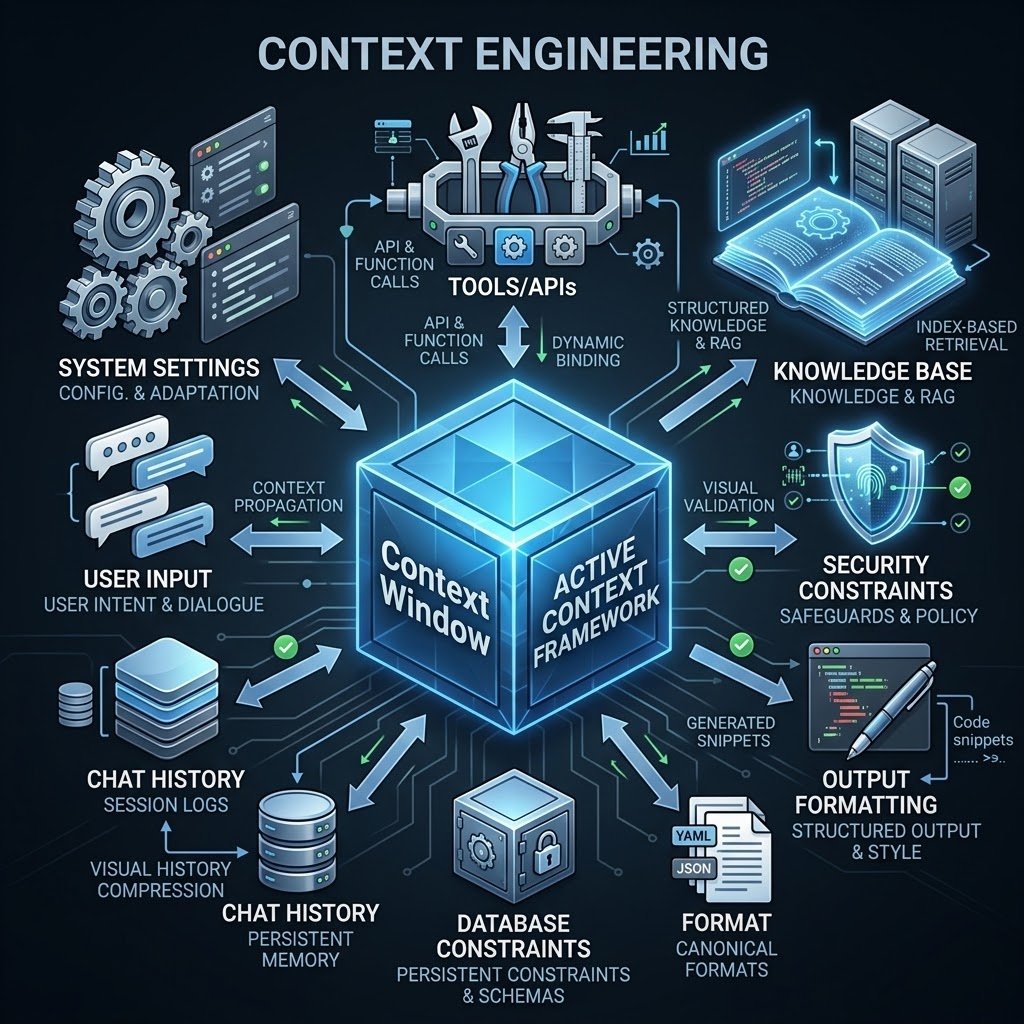
Most developers assume the model isn’t smart enough. In reality, the problem is poor context engineering.
If you’ve built or used AI coding assistants (like GitHub Copilot, Claude Code, or custom IDE agents), you’ve likely seen them break down on large codebases. The agent starts introducing hallucinated imports, editing wrong files, forgetting function signatures, or running into “context limit exceeded” errors.
When building AI code agents, prompt engineering is just a fraction of the equation. Context Engineering — the deliberate retrieval, filtering, structuring, and lifecycle management of data passed to an LLM — is what turns a basic wrapper into a production-grade coding agent.
The Architecture of Code Agent Context
Context is everything the model sees at inference time. For a code agent, context consists of:
- System Instructions: Agent identity, execution rules, line-ending formats, and safety boundaries.
- User Request: The requested feature, bug fix, or refactoring task.
- Codebase State: AST snippets, target files, workspace directory trees, and
git diffoutputs. - Tool & Shell Execution: Results from terminal commands, linters, test suite runners, and language servers (LSP).
- Agent Memory: Prior execution loops, step history, and active subtask state.
The Core Problem: “Context Rot” in IDE Workflows
Modern models boast massive context windows (up to 2M+ tokens), leading to a dangerous assumption: “Just dump the entire repo into the prompt.”
In practice, performance degrades significantly as context grows. Known as Context Rot, feeding an LLM thousands of lines of irrelevant dependencies, full build logs, or non-pertinent files causes:
- Focus Loss: The model overlooks core constraints and system prompts.
- Hallucination Spikes: Unrelated functions leak into generated code.
- High Latency & Costs: Token throughput drops, and API costs balloon.
5 Context Engineering Strategies for Code Agents
1. Pre-Filtering via Language Servers (LSP) & ASTs
Do not rely on full file dumps. Use Language Server Protocol (LSP) tools or Abstract Syntax Trees (AST) to extract only relevant symbol definitions, interface types, and function signatures.
- Bad: Ingesting 500 lines of an imported utility file.
- Good: Passing only the function signature and docstring used by the target module.
2. Terminal Output Sanitization
Command outputs from tools like npm test, pytest, or cargo build can generate thousands of lines of non-actionable output. Use pre-processors or CLI filters (such as rtk or custom regex parsers) to strip verbose execution logs, ASCII banners, and passing test traces, leaving only stack traces and error lines.
3. Sub-Agent Task Delegation
Never let a single context window manage an entire multi-file refactor. Divide work among specialized sub-agents:
- Main Orchestrator: Holds overall goal state and delegates sub-problems.
- Worker Sub-Agents: Spin up isolated, ephemeral chats to run specific tasks (e.g., writing a single test file or searching dependency docs) and return only final summary diffs back to the main thread.
4. Deterministic Compaction (/compact)
When an agent session runs for multiple turns, actively prune conversation history:
- Summarize previous file edits into a compact
git status/git diffsummary. - Clear intermediate stdout/stderr from prior debugging attempts once fixed.
- Retain high-priority constraints while dropping raw tool invocation payloads.
5. Codebase Compression & Indexing
Build a local semantic index (using vector embeddings over code chunks or graph-based dependency trees). Query this index dynamically at runtime rather than stuffing pre-computed file trees into system prompts.

Summary
Prompting tells an AI code agent what to do, but Context Engineering provides the precise code context, tools, and constraints required to execute without crashing into token limits. For engineers building agentic IDEs, command-line tools, or automated CI/CD runners, context management is the primary engineering challenge.

