


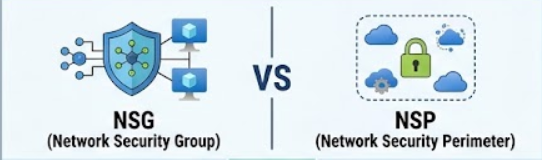

When designing secure cloud architectures in Microsoft Azure, network security is paramount. Two critical native Azure tools designed to lock down traffic are Network Security Groups (NSGs) and Network Security Perimeters (NSPs).
While both serve to restrict network traffic, they target completely different layers of cloud infrastructure. This blog breaks down their differences, explains why they are crucial for modern enterprise security, and provides practical examples complete with Infrastructure as Code (IaC) via Bicep.
1. What is an NSG (Network Security Group)?
An NSG is the traditional workhorse of Azure networking. It is used to filter network traffic to and from Azure resources within a Virtual Network (VNet).
- Primary Target: Infrastructure-as-a-Service (IaaS) resources, such as Azure Virtual Machines, virtual subnets, and Network Interfaces (NICs).
- How it Operates: Filters traffic at Layer 3 and Layer 4 (IP address, port, and protocol) using a 5-tuple rule set.
- VNet Reliance: Strongly tied to a VNet and its subnets.
Real-World Example
Imagine you have a backend database virtual machine running inside an Azure subnet. You want to ensure that only your front-end web servers can talk to this database on port 3306 (MySQL), blocking all other inbound traffic. You achieve this by creating an NSG rule on the database subnet.
2. What is an NSP (Network Security Perimeter)?
Introduced to secure modern cloud environments, an NSP secures Platform-as-a-Service (PaaS) resources without forcing them into a Virtual Network [Zure].
- Primary Target: PaaS services like Azure Storage Accounts, Azure Cosmos DB, Azure Key Vault, and Azure SQL Databases.
- How it Operates: Creates a logical boundary directly in the Azure cloud fabric around PaaS endpoints, preventing data exfiltration [Zure].
- VNet Reliance: No VNet required [Zure]. It protects public-facing PaaS resources without needing complex private endpoints or causing massive DNS sprawl.
- Trust Model: Uses Intra-Perimeter Trust—resources enclosed within the same perimeter can securely trust and communicate with each other by default [Zure].
Real-World Example
Your organization uses multiple Azure Storage accounts and Azure Key Vaults across different teams. Instead of configuring complex IP firewalls, service endpoints, or private links for every single resource (which leads to administrative overhead and “DNS sprawl”), you wrap them inside an NSP. This ensures that data can only move securely within trusted boundaries.
3. Quick Comparison: NSG vs. NSP
| Feature | 🛡️ NSG (Network Security Group) | 🚧 NSP (Network Security Perimeter) |
| Primary Target | IaaS (Virtual Machines, Subnets, NICs) | PaaS (Storage, Key Vault, Cosmos DB, SQL) |
| Traffic Filtering | Layer 3/4 (IP, Port, Protocol 5-tuple) | Logical cloud-fabric boundaries |
| VNet Requirement | Tied directly to a VNet and its subnets | No VNet required [Zure] |
| Trust Model | Explicit individual rule configuration | Intra-Perimeter Trust (trusted by default) [Zure] |
4. Why Are They Important?
- Defense in Depth: Security isn’t one-size-fits-all. You need NSGs to protect your virtual machines and subnets, and NSPs to secure data-heavy PaaS services.
- Preventing Data Exfiltration: NSPs make it exceptionally difficult for malicious actors or compromised applications to smuggle corporate data out to unauthorized external services.
- Operational Simplicity: NSPs reduce “DNS sprawl” by allowing you to manage access policies centrally for PaaS platforms without maintaining endless individual private endpoints or IP allowlists.
5. Bicep Code Samples
Here is how you can deploy both an NSG and an NSP using Azure Bicep.
Example A: Bicep Code for a Network Security Group (NSG)
This code creates an NSG that allows inbound HTTP traffic and blocks everything else.
Code snippet
param location string = resourceGroup().location
param nsgName string = 'prod-backend-nsg'

resource nsg 'Microsoft.Network/networkSecurityGroups@2023-09-01' = {
  name: nsgName
  location: location
  properties: {
    securityRules: [
      {
        name: 'AllowHTTPInbound'
        properties: {
          priority: 100
          protocol: 'Tcp'
          access: 'Allow'
          direction: 'Inbound'
          sourceAddressPrefix: '*'
          sourcePortRange: '*'
          destinationAddressPrefix: '*'
          destinationPortRange: '80'
        }
      }
    ]
  }
}

output nsgId string = nsg.id
Example B: Bicep Code for a Network Security Perimeter (NSP)
This Bicep template provisions a Network Security Perimeter to govern secure boundaries for PaaS resources [Zure].
Code snippet
param location string = resourceGroup().location
param nspName string = 'prod-paas-perimeter'

resource nsp 'Microsoft.Network/networkSecurityPerimeters@2023-07-01-preview' = {
  name: nspName
  location: location
  properties: {
    // Defines the top-level perimeter configuration
  }
}

output nspId string = nsp.id
Conclusion
Understanding when to use NSGs versus NSPs is essential for a robust Azure cloud posture. Use NSGs when managing fine-grained, port-level traffic inside your Virtual Network virtual machines and subnets. Turn to NSPs when you need to establish secure, scalable governance around your cloud-native PaaS services without the overhead of heavy networking architectures.